


Features
What TrainerSuite does for you.
From your calendar to getting paid, in one app. Here is each part.
30 days free. No card needed to start.
Calendar
Your calendar, read for you.
Connect Google or Apple Calendar. Your sessions show up ready to confirm. Rather schedule here? That works too.
How calendar sync worksClients and packages
Know who has what left.
Sell packages and each session counts down when you confirm it. Bring in the clients you already have, with what they have left.
Sessions and packagesPayments
Get paid your way.
Send a payment request with the ways you take money: card, Venmo, Zelle or cash. When a client runs low, it can send one for you and remind them later. It never charges anyone on its own.
How getting paid worksYour numbers
Know your numbers.
Today, this week, this month. Sessions done, money earned and money collected, the moment you open the app.
Good morning, Summit Strength
- Earned
- $4,880
- Collected
- $4,150
Client app
A free app for your clients.
Clients see their next session, how many they have left and any payment request. They can cancel or ask for a new time, within the rules you set.
The client app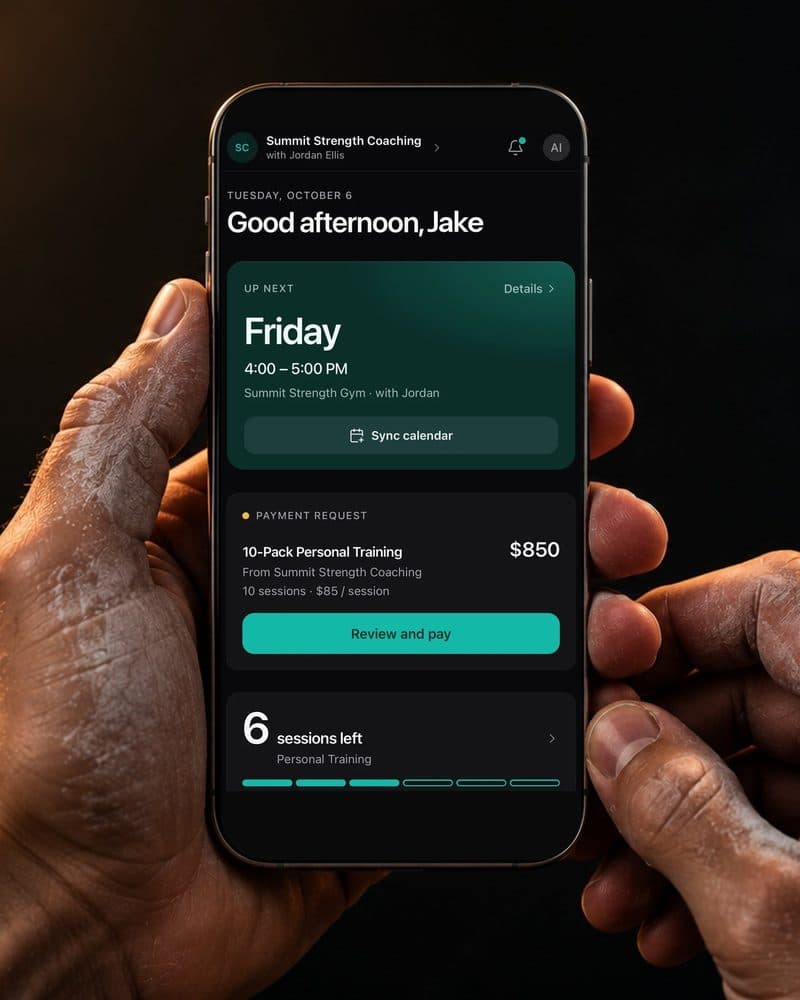
AI assistant
Ask your AI about your business.
Connect ChatGPT or Claude and ask in plain words, like who is low on sessions or what you made this month. Setup takes a few steps for now.
Set up the AI assistantAlso included.
Recurring sessions. Set a weekly time once. It fills your schedule for you.
Clients you already have. Add them with the sessions they have left, so nothing starts from zero.
Gym costs. Track what you pay the gym, next to the sessions it covers.
Locations. Keep track of where each session happens.
iPhone, Android and the web. Use it wherever you are. Your clients can too.
No limit on clients. One plan covers every client you have.
Tap to Pay on iPhone. Accept contactless payments right on your iPhone.
Less admin. More training.
Try everything free for 30 days. No card needed to start.