
Invite your clients

Give a client a code. They get the app, enter it, and see their sessions with you.

For trainers · About 2 minutes

Free for your clientsInviting is optional, and the app costs them nothing.

1

Open the client

On the client's page, tap ⋯ at the top, then Invite to the app.

Clients → the client → ⋯ → Invite to the app

Trainer view
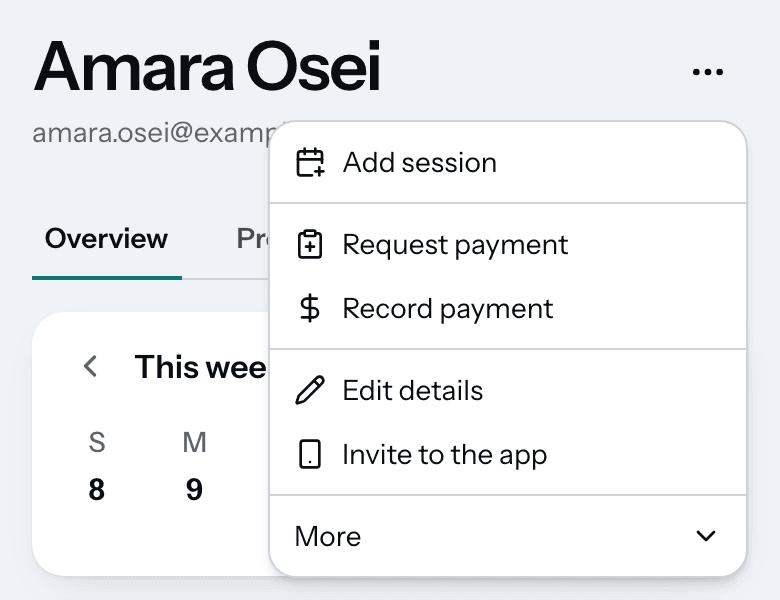
Amara Osei's page with the menu open: Add session, Request payment, Record payment, Edit details, Invite to the app and More.
More on this step
  • The Portal access row on the client's Overview opens the same place.
  • The client needs a phone number or an email on their page first.
  • A phone number has to be a US or Canada number.
  • You invite one client at a time.
2

Create the invite code

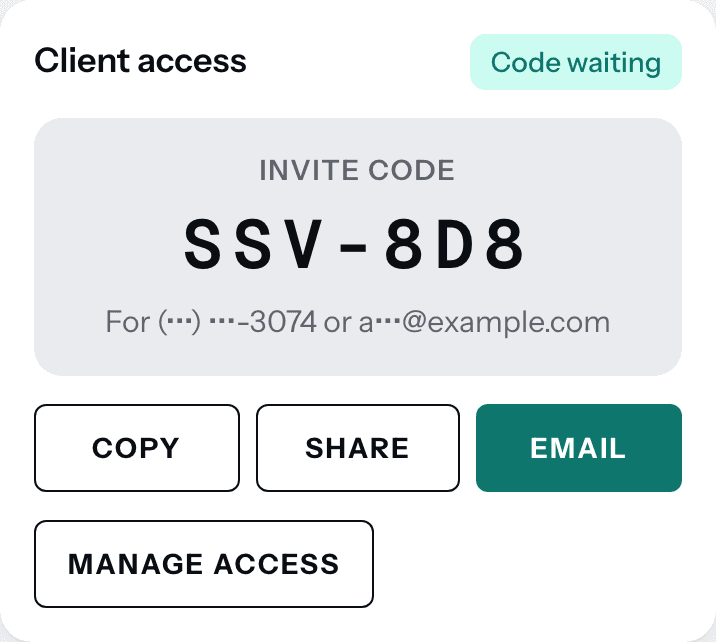
Tap Create invite code. Each client gets a code of their own.

Portal access → Create invite code

Trainer view

The Client access card marked Code waiting, showing the invite code SSV-8D8 with Copy, Share, Email and Manage access buttons.
More on this step
  • A code never runs out. It works until your client uses it, or you cancel or replace it.
  • Manage access lets you make a new code or cancel the invite.
3

Send it to your client

Tap Share to text it yourself. The message is written for you.

Portal access → Share

Client view

More on this step
  • Email has TrainerSuite email the code for you. It shows when the client has an email.
  • Copy copies only the code, to paste anywhere.
  • You can send the same code again at any time.
4

Your client joins

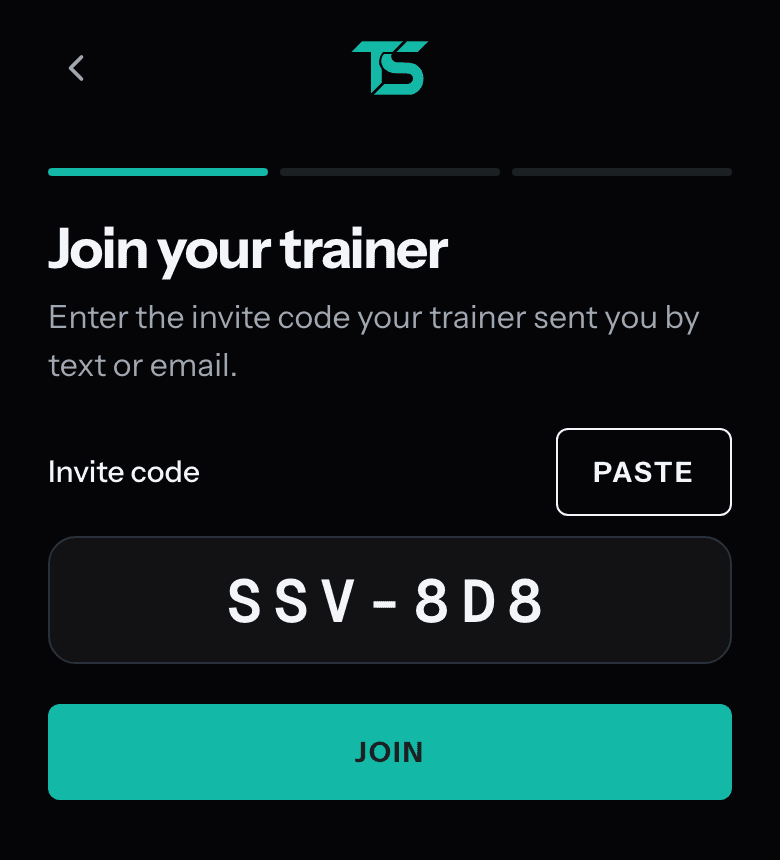
They get the app, tap Invited by your trainer or coach? and enter the code.

Their phone → TrainerSuite app → Enter invite code

Client view

The Join your trainer screen your client sees: Enter the invite code your trainer sent you by text or email, the code SSV-8D8 typed in, and a Join button.
More on this step
  • We text or email them a 6-digit check, so only your client can use the code.
  • No password to make up.
  • When they are in, Portal access on their page says In the app.

Stuck?

The code isn't working

Open Portal access, tap Manage access, then Make a new code. Send the new one. The old code stops working right away.

Does my client pay anything?

No. Clients use TrainerSuite for free.

My client has no smartphone

They can join in a web browser on a computer. The same link and the same code work there.

My client changed their number or email

Update it on their page, then make a new code. A code is tied to the phone or email the client had when you made it.

Can I invite all my clients at once?

Not yet. Each client gets their own code, one at a time.

Next guideWhat your clients see

Get started

Your clients, their sessions and what they have left, in one place.

30 days free. No card needed to start.