
Give clients their packages

Make a package once. Then choose who can buy it: everyone, a few clients, or just one.

For trainers · About 3 minutes

Clients only see what they can buyA client never sees another client's packages or prices.

1

Make a package

Tap Add package. Set the sessions and the price.

More → Settings → Packages → Add package

Trainer view
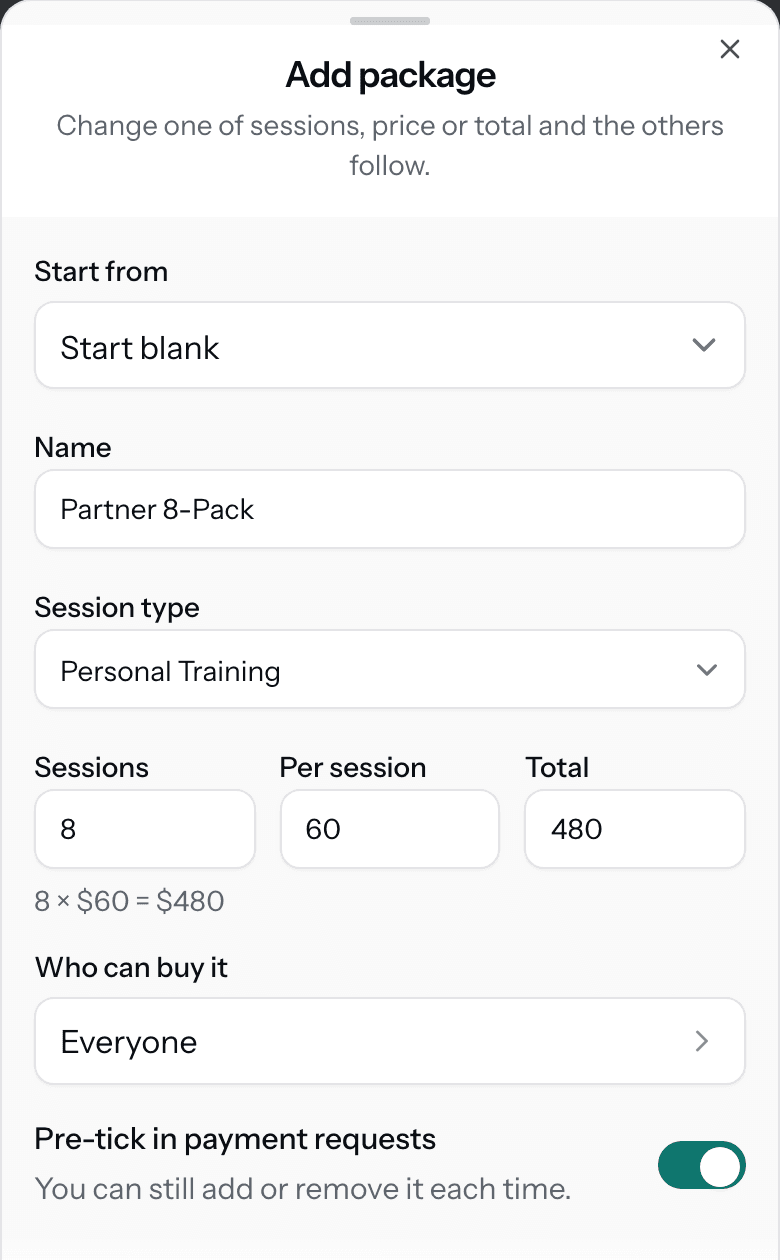
The Add package sheet: Start from, Name Partner 8-Pack, Session type Personal Training, Sessions 8, Per session 60, Total 480, Who can buy it set to Everyone, and Pre-tick in payment requests.
More on this step
  • Change one of sessions, price or total and the others follow.
  • Each package is for one session type.
  • Start from copies another package's numbers, so you only change what is different.
2

Choose who can buy it

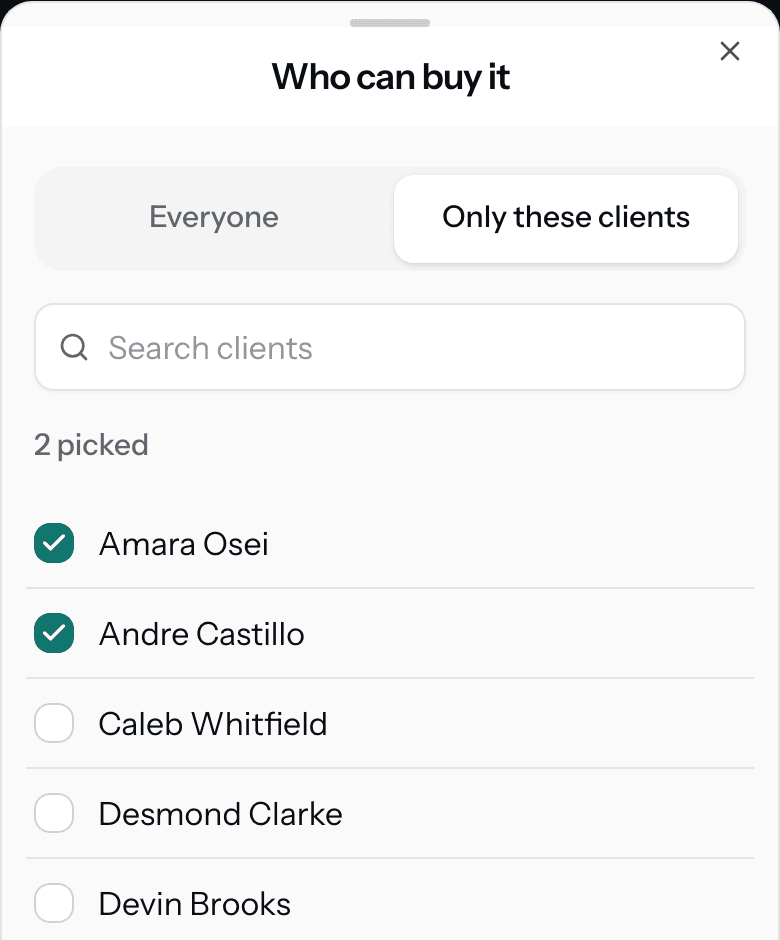
Tap Who can buy it. Pick Everyone, or Only these clients.

Add package → Who can buy it

Trainer view

The Who can buy it sheet with Only these clients chosen, 2 picked, and Amara Osei and Andre Castillo ticked in the client list.
More on this step
  • Everyone means every client, new ones too.
  • Only these clients can be one client or a few. The package then shows Only Amara, or 2 clients.
  • You can change this later. Requests you already sent keep their packages.
3

Set up many clients at once

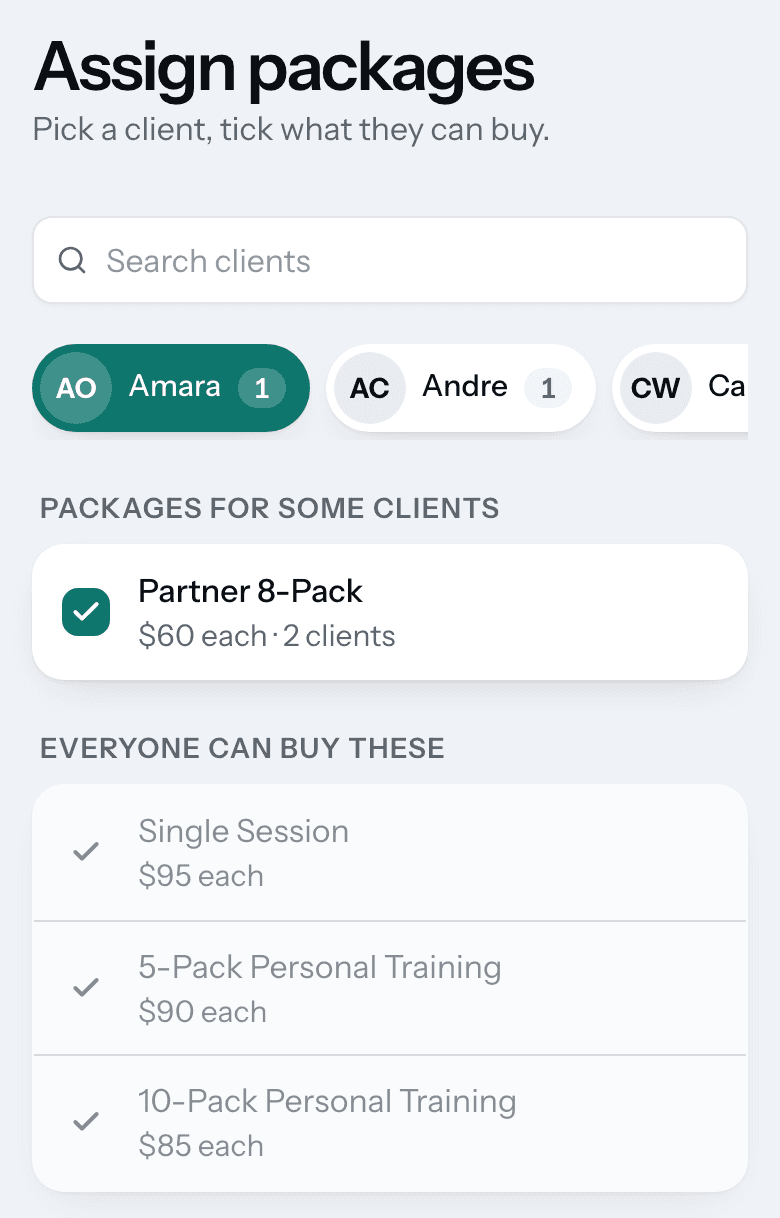
Tap Assign packages to clients. Pick a client and tick what they can buy.

Settings → Packages → Assign packages to clients

Trainer view

The Assign packages page with Amara picked: Partner 8-Pack ticked under Packages for some clients, and three packages listed under Everyone can buy these.
More on this step
  • On a computer it is one grid, with clients down the side and packages across the top.
  • Packages for everyone are already ticked for all clients.
  • Ticking a second client onto a one client package asks first. Then both can buy it.
4

Or do it from the client

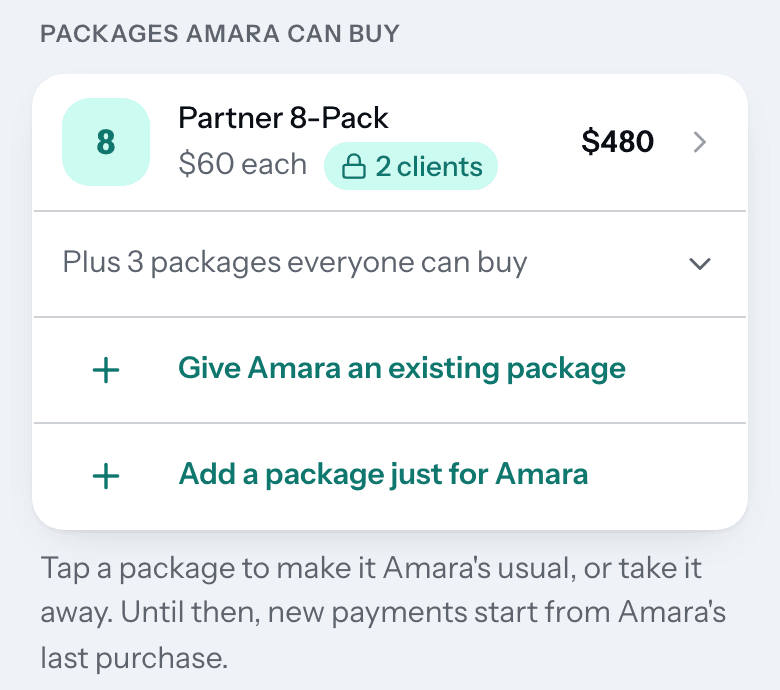
Open the client, tap Setup, and find the packages they can buy.

Clients → the client → Setup

Trainer view

Packages Amara can buy on the client's Setup page: Partner 8-Pack at $60 each for 2 clients, Plus 3 packages everyone can buy, Give Amara an existing package, and Add a package just for Amara.
More on this step
  • Give them an existing package, or add one just for this client.
  • Tap a package to make it their usual. New payments start from the usual.
  • Take it away stops it being offered. Sessions already bought do not change.

Stuck?

Can a client buy a package on their own?

Not today. You send a payment request, and your client picks from the packages you offer in it.

Where does a client see their packages?

In your payment request. A Pack menu request lists only the packages that client can buy.

What happens if I change a price?

Only new sales change. Past purchases and requests you already sent keep the price they had.

Can I delete a package?

You archive it. It stops showing for new sales, and past sales stay as they were.

What does Usual mean?

It is the package a new payment for that client starts from. Without one, it starts from their last purchase.

Next guidePayment requests

Get started

The right packages for each client, set once.

30 days free. No card needed to start.