



Client policies
Clients can now cancel or ask to move a session from the app
You set the rules, the app enforces them, and you hear about every change right away. How you cancel or move sessions yourself has not changed.
Both are on by default, and both are yours to turn off. Settings, then Client policies, then In-app cancellations and reschedules.
What clients see
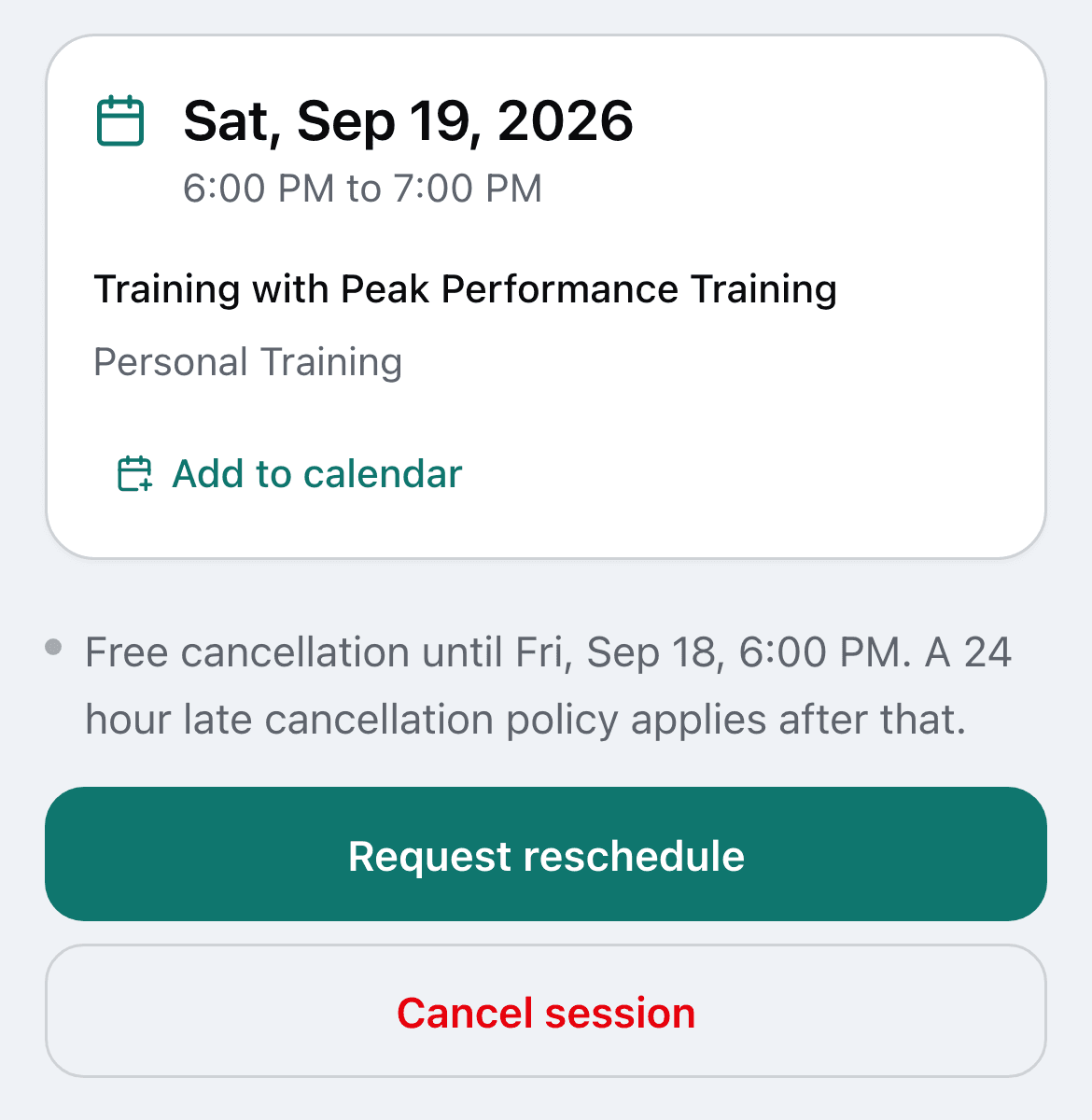
Two buttons on every upcoming session. Request reschedule asks you. Cancel session cancels under your late window.
Cancelling
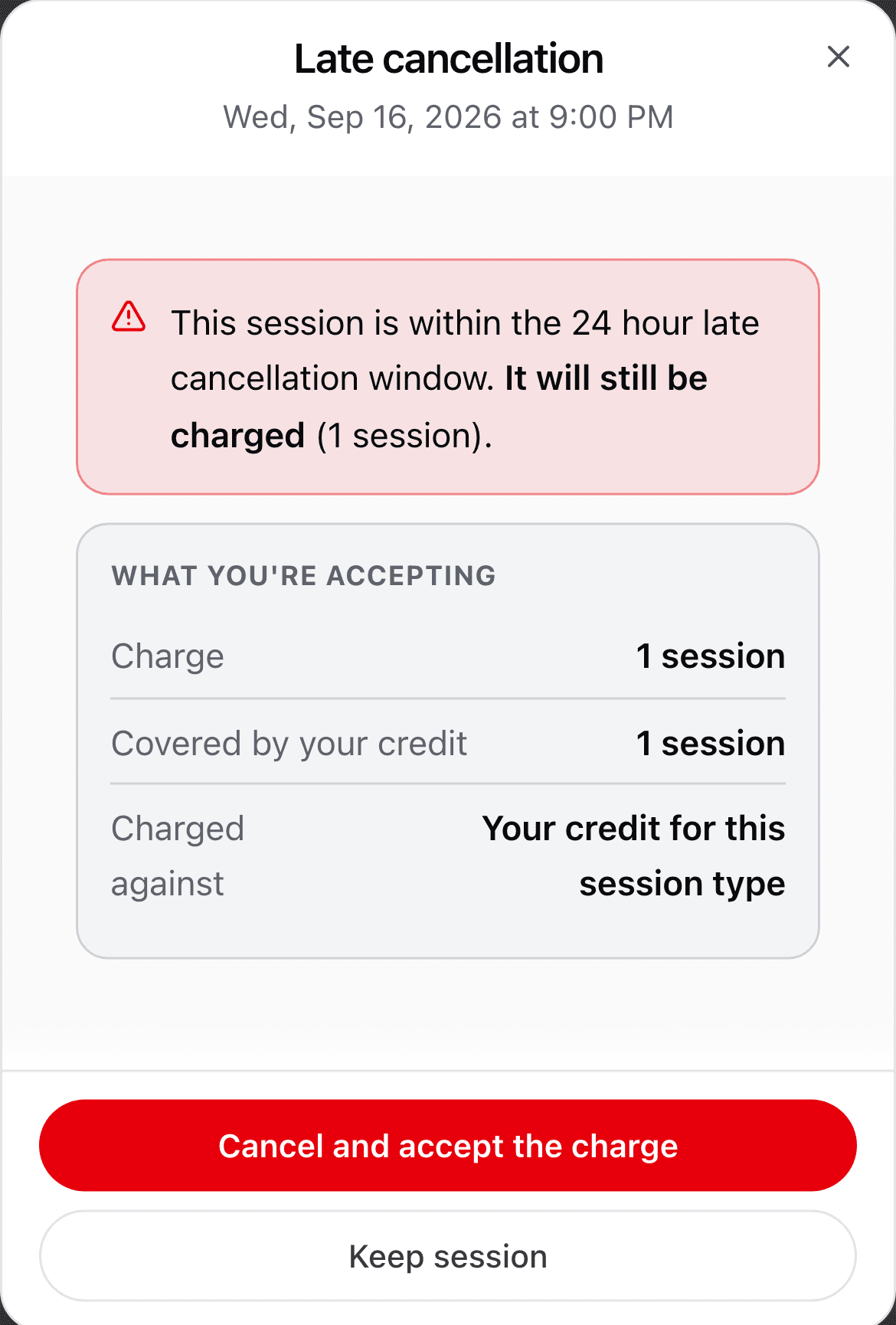
Before the late window, the session goes back to their credit. Inside it, the session is charged, the same as when you mark a late cancel.
The client sees the charge before they confirm, and nothing happens until they accept it.
Reschedule requests
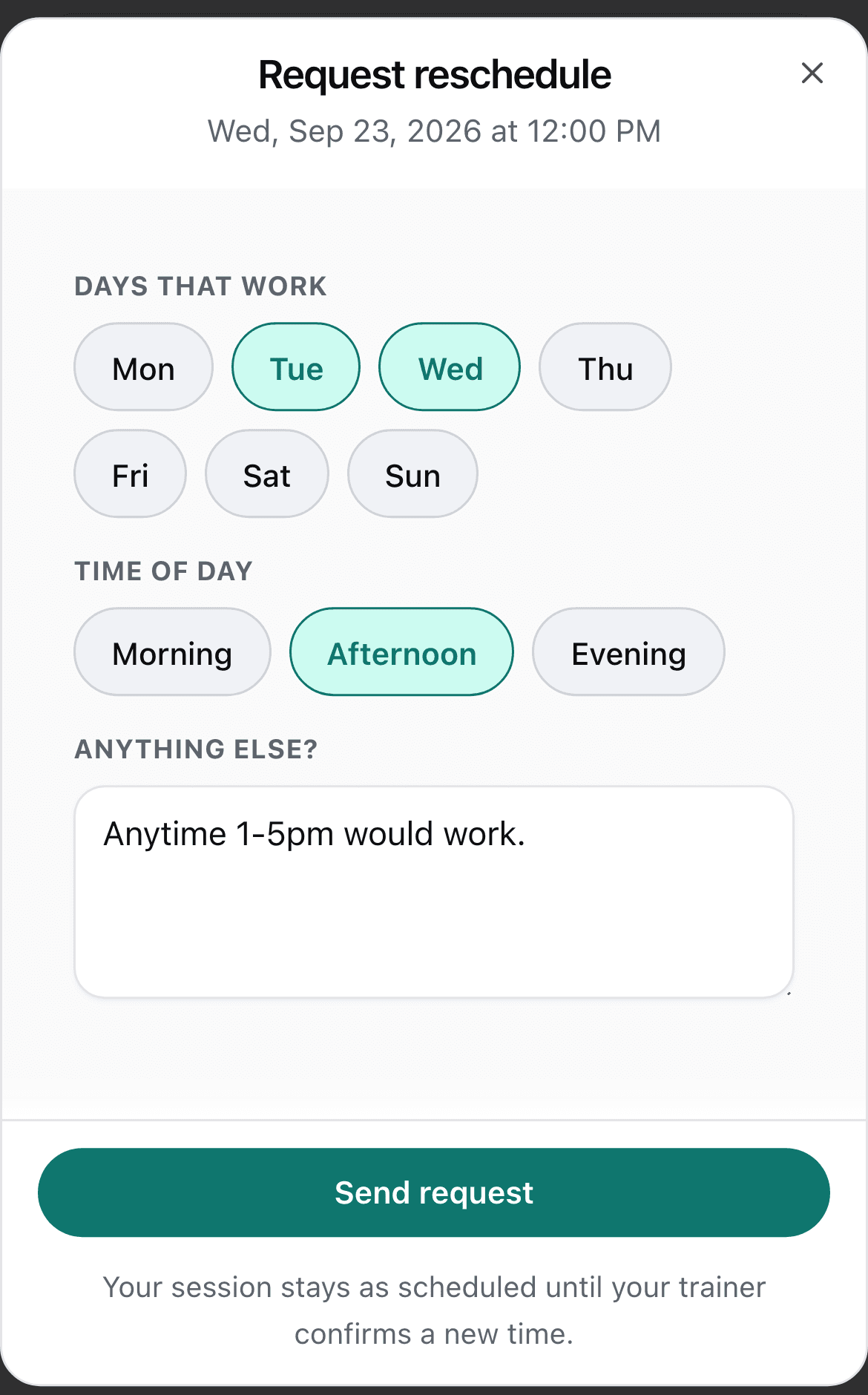
The client picks the days and times that work and can add a note. Nothing moves until you open the request, pick the new time, and tap Approve.
Decline keeps the session where it is. Either way you can add a note they will see.
You will know right away
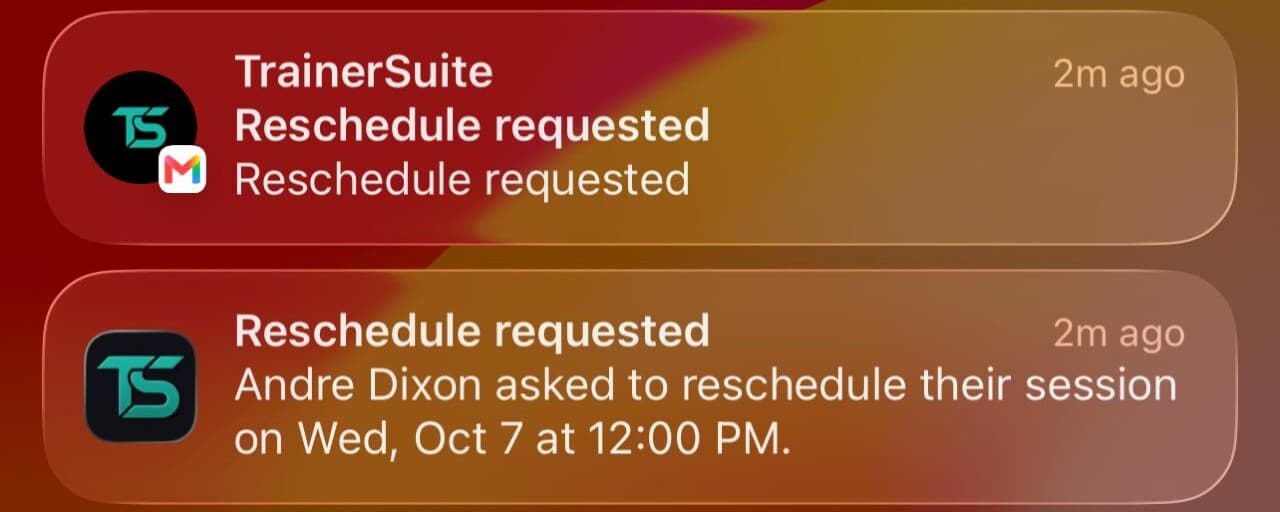
Every client cancel, late cancel, request, or withdrawn request reaches you three ways: your notifications in the app, a push on your phone if you have the app with notifications on, and an email.
Your client gets the same when you approve or decline, and a confirmation when they cancel.
Your settings
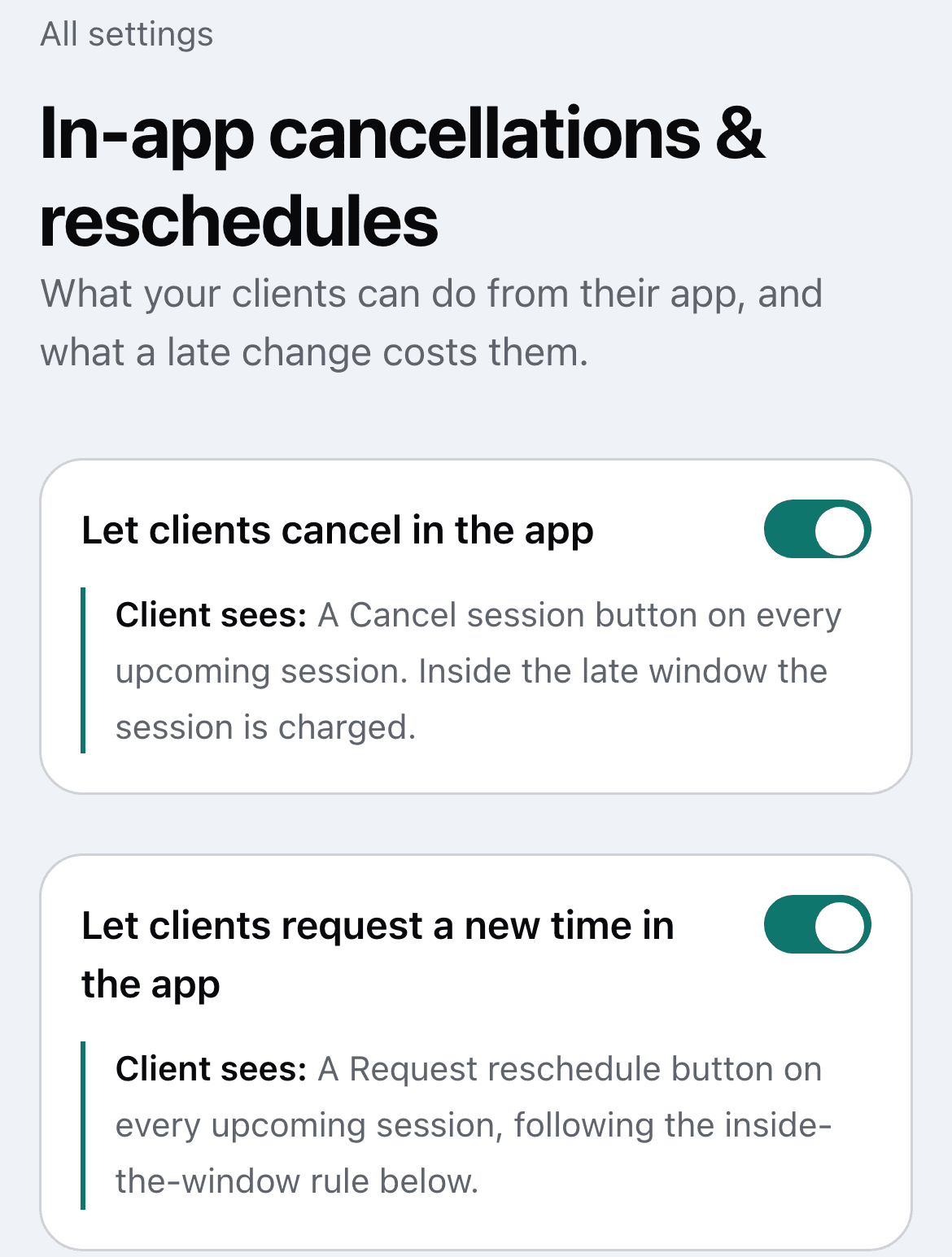
Settings, then Client policies, then In-app cancellations and reschedules.
- Let clients cancel in the app, and Let clients request a new time in the app. Both on by default.
- Turn one off and that button is replaced by a line asking the client to come to you: “Ask [your first name] to cancel this session.” or “Ask [your first name] to move this session.” Turn both off and it is one line covering both.
- Reschedule requests inside the window: Allow, Text only, or Off.
- Late window: 12, 24, or 48 hours, or your own number.
- An optional note in your own voice, shown in the late cancel dialog.
The lines this never crosses
- Nothing reaches a client you have not invited to the app.
- Money never moves without the client seeing the amount first.
- A request never moves a session, only your approval does.
Common questions
Does a reschedule request move the session?
No. The client picks the days and times that work and can add a note, and nothing moves until you open the request, pick the new time, and tap Approve. Decline keeps the session where it is. Either way you can add a note they will see.
What happens if a client cancels inside the late window?
The session is charged, the same as when you mark a late cancel. The client sees the charge before they confirm, and nothing happens until they accept it. Before the late window, the session goes back to their credit instead.
How do I hear about a change?
Every client cancel, late cancel, request, or withdrawn request reaches you three ways: your notifications in the app, a push on your phone if you have the app with notifications on, and an email. Your client gets the same when you approve or decline, and a confirmation when they cancel.
Can I turn this off?
Yes. Let clients cancel in the app and Let clients request a new time in the app are both on by default, and either can be turned off in Settings, under Client policies, on the In-app cancellations and reschedules page. Turn one off and the button is replaced by a line asking the client to text you instead.
Founding trainer access
Your policy, enforced for you.
TrainerSuite is opening carefully with independent trainers. Founding access is selective while onboarding and migration stay hands-on.