
Bring over your current clients

Add each client with the sessions they have left today. That is all you need to start.

For trainers · About 2 minutes a client

Start from todayYou do not have to enter old sessions or old payments.

1

Add an existing client

Tap +, then Add client. Pick Existing client and type their name.

+ → Add client → Existing client

Trainer view
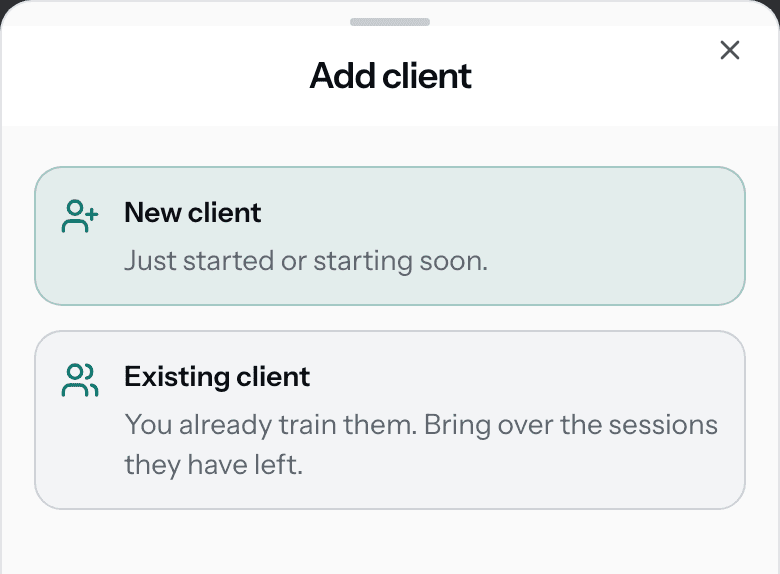
The Add client sheet with two choices: New client, just started or starting soon, and Existing client, you already train them, bring over the sessions they have left.
More on this step
  • A name is enough. Phone and email can wait.
  • Pick New client for someone with no sessions yet.
  • Add your session type first if you can. You can also name one on the next screen.
2

Enter the sessions they have left

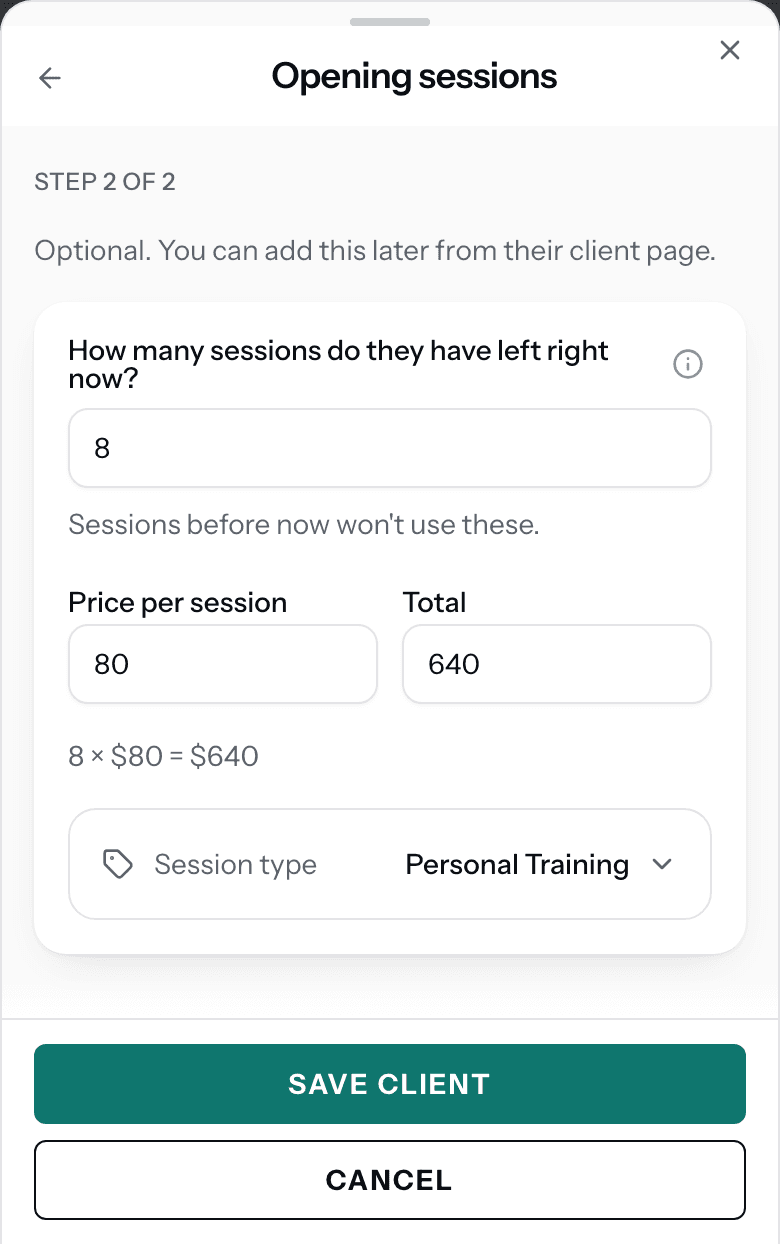
Type how many sessions they have left right now, what each one cost, and the session type.

Add client → Opening sessions

Trainer view

The Opening sessions step: How many sessions do they have left right now is 8, Price per session 80, Total 640, 8 times $80 is $640, Session type Personal Training, and the Save client button.
More on this step
  • Count from today. Sessions they already used do not go here.
  • The price is what they paid for each session. Type 0 if the sessions were free.
  • None left? Tap Skip for now. They start at zero.
3

Missed one? Add it from the client

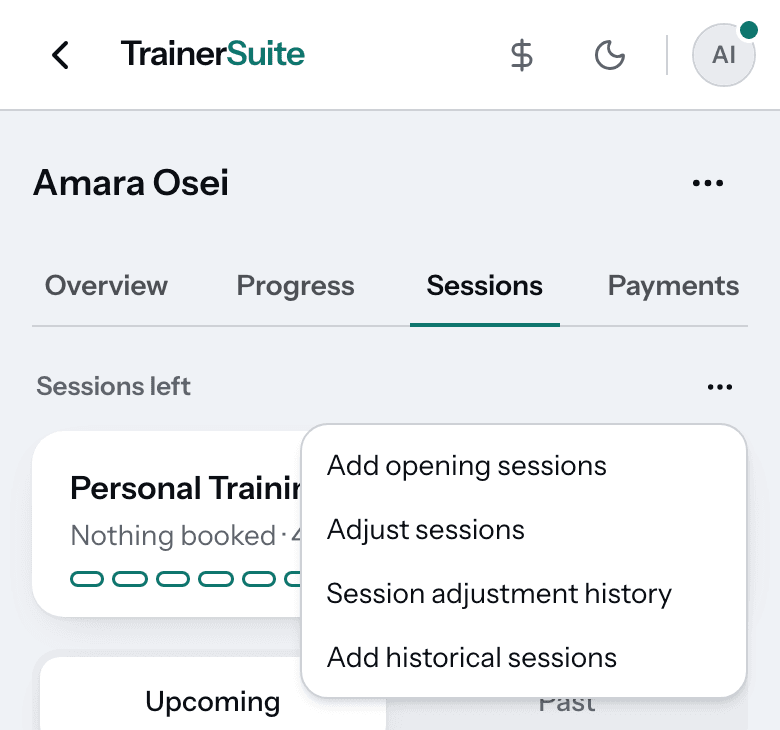
Open the client, tap Sessions, then the ⋯ beside Sessions left. Tap Add opening sessions.

Clients → the client → Sessions → ⋯

Trainer view

Amara Osei's Sessions tab with the Sessions left menu open: Add opening sessions, Adjust sessions, Session adjustment history and Add historical sessions.
More on this step
  • Use this for a client you added without sessions.
  • A client with two session types gets one entry for each.
  • Typed the wrong number? Find the entry under the client's Payments and edit it.
4

Invite them when you are ready

Nothing is sent when you add a client. Invite each one when you want them in the app.

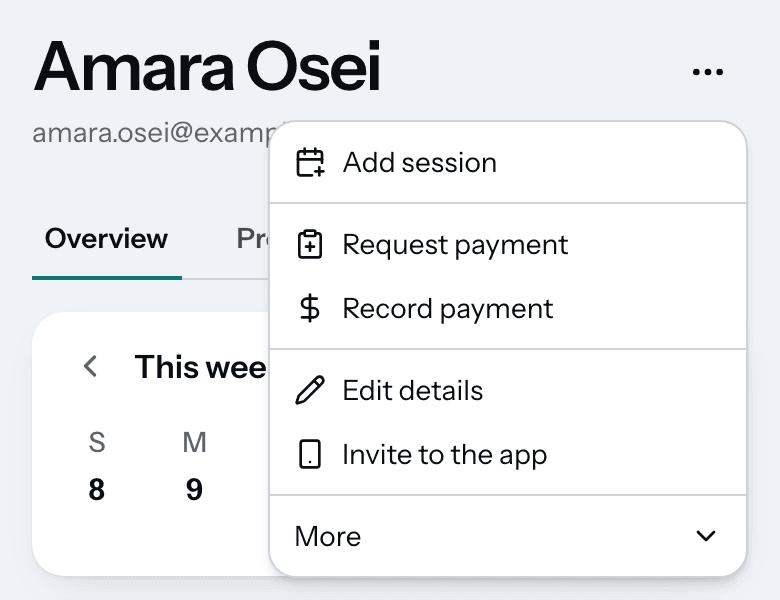
Clients → the client → ⋯ → Invite to the app

Trainer view

The client page menu with Invite to the app in the list.
More on this step
  • You can run everything without inviting anyone.
  • Each client gets their own code.
  • In the app they see one number: their sessions left.

Stuck?

Do I have to log sessions from before I moved?

No. Set each client's sessions left from your old records and you are done. You can log when and where past sessions happened anytime, with no deadline.

Can I add all my clients at once?

Not in the app yet. With an AI assistant connected, you can add up to 25 clients at a time and approve them with one tap.

Do opening sessions count as money I collected?

No. That money came in before TrainerSuite. Each session counts as earned when it is used, at the price you typed.

Does my client get a message when I add them?

No. Adding a client sends nothing.

Can I bring in my old sessions and payments too?

Yes, if you want them in your reports. Use More, then Import history. It never changes sessions left.

Next guideInvite your clients

Get started

Your clients, moved over in an afternoon.

30 days free. No card needed to start.